
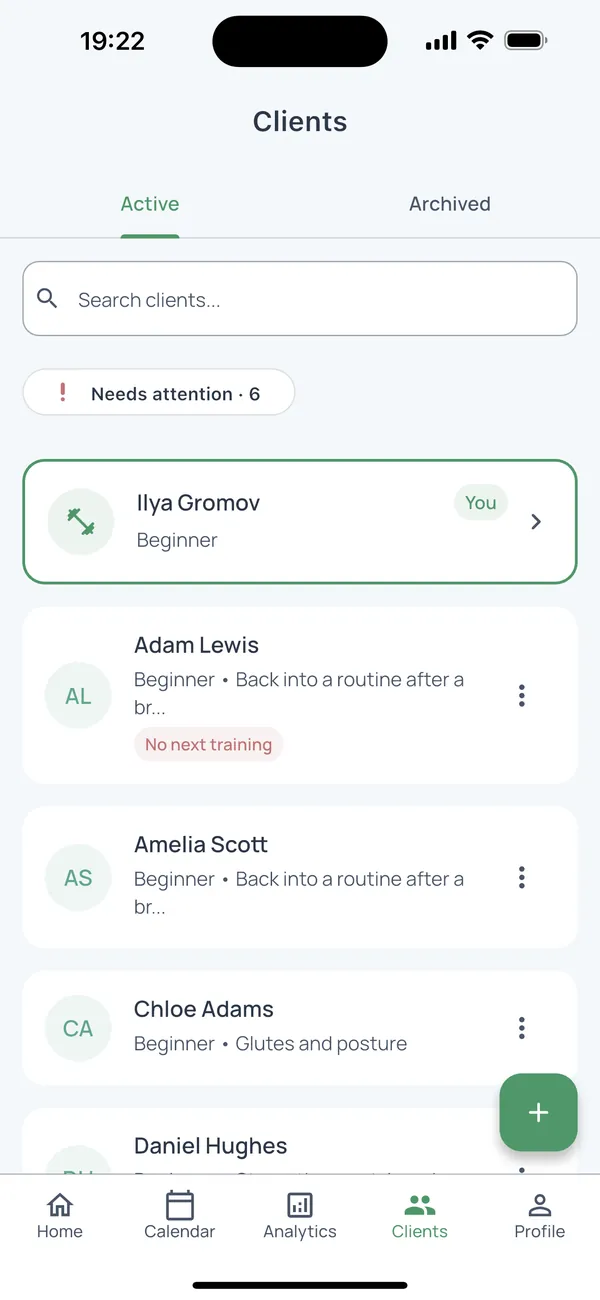
A client’s full history before the next session starts.
Goals, health notes, sessions, payments and progress in one profile. No context lost across notebooks and chats.
- Add a client in a minute
- See session history and notes
- Keep payments and package balance together
Free for up to 5 active clients
How it works
- Step 1
Bring your clients
Add clients one by one or paste a list from a spreadsheet in the web cabinet. You can start with a single client.
- Step 2
Fill in the profile
Goals, health limitations and notes live in the client profile, next to sessions, payments and the package balance.
- Step 3
Open it before the session
See what you did last time, with which weights, and how many sessions are left.
Questions
How many clients are free?
Up to 5 clients for free. More clients are on a paid plan — see Pricing.
Does it work on a computer and a phone?
Yes. Plan in the web cabinet, run the session in the iPhone or Android app. It is the same data.
Can the client see my notes?
No. Notes and payments stay with the trainer. The client sees only a session report you choose to send.
Do not migrate your entire client list at once.
Add one client, run the next session and judge FitFlow against your actual workflow.