
Sessions without a connection
Basement gym, no Wi-Fi — your workout log keeps working.
Sets and weights stay on your phone. When the connection returns, everything is sent by itself.
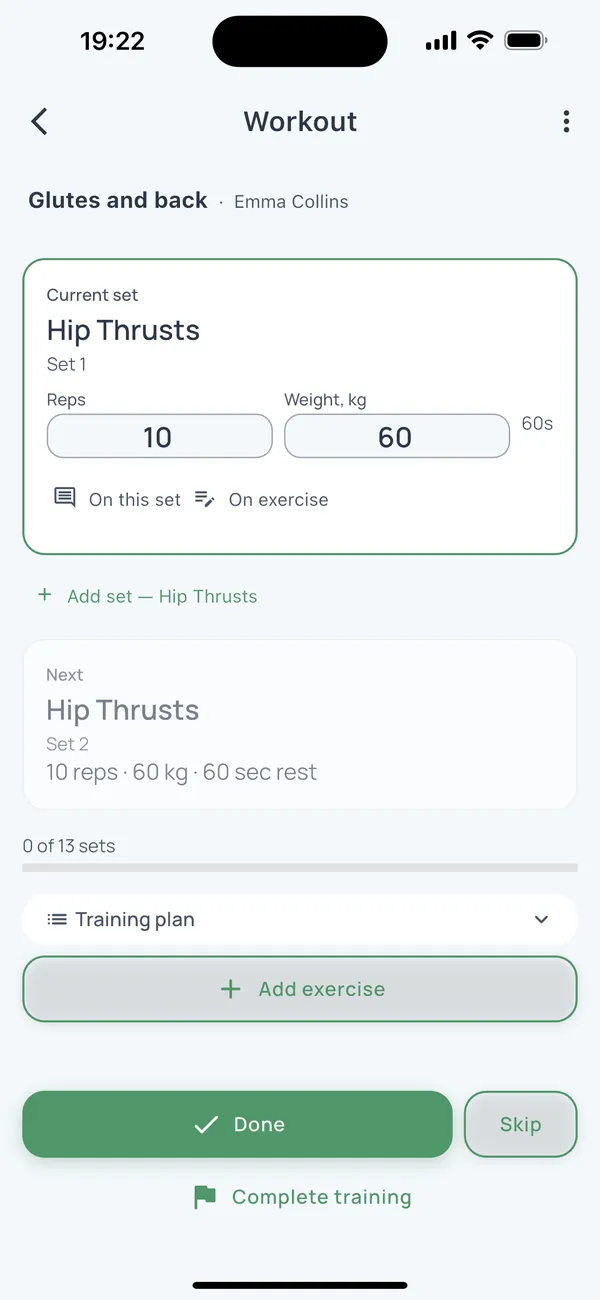
- Current set and timer on one screen
- Records stay on the phone while offline
- Past weights always at hand
Try it during one real session
How it works
- Step 1
Once — online
Open the app while you have a connection: it signs in and prepares clients and plans for working offline.
- Step 2
At the gym — offline
Sets, weights and rest are recorded on the phone. The rest timer and the current set are on one screen.
- Step 3
Back online — sent
Records go to the server by themselves, and so does the client report.
Questions
Can I train two or three clients at once?
Yes. In a small group everyone has their own plan and rest timer; switch between them without closing the session.
Does the client need the internet?
No. The client needs no app: the report reaches them as a link once your phone is back online.
Do not migrate your entire client list at once.
Add one client, run the next session and judge FitFlow against your actual workflow.